Model review
BIM Studio: model checks you can see
Before a model is handed over, someone has to check it against the project's rules. BIM Studio runs those rules in the browser and shows exactly which elements fail, why, and where they sit in the building.
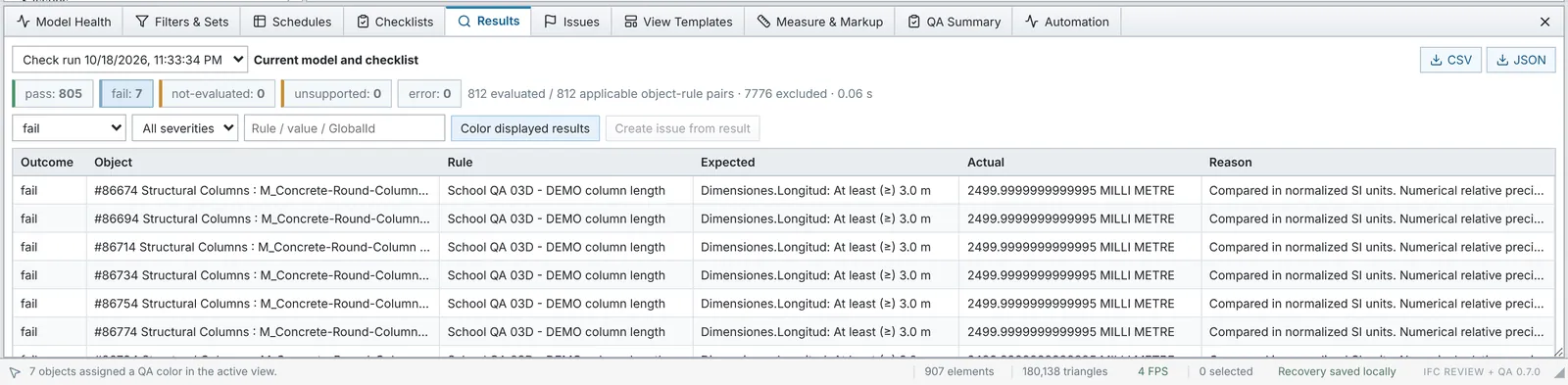
- 812element and rule pairs checked in the sample run
- 7failures, each with expected value, actual value and reason
- 0.06 sto run the whole check
The problem
BIM coordinators and structural engineers check models against handover requirements: required properties, naming, minimum sizes. In most tools that means exporting schedules to a spreadsheet and hunting for the failing elements by hand.
What BIM Studio does
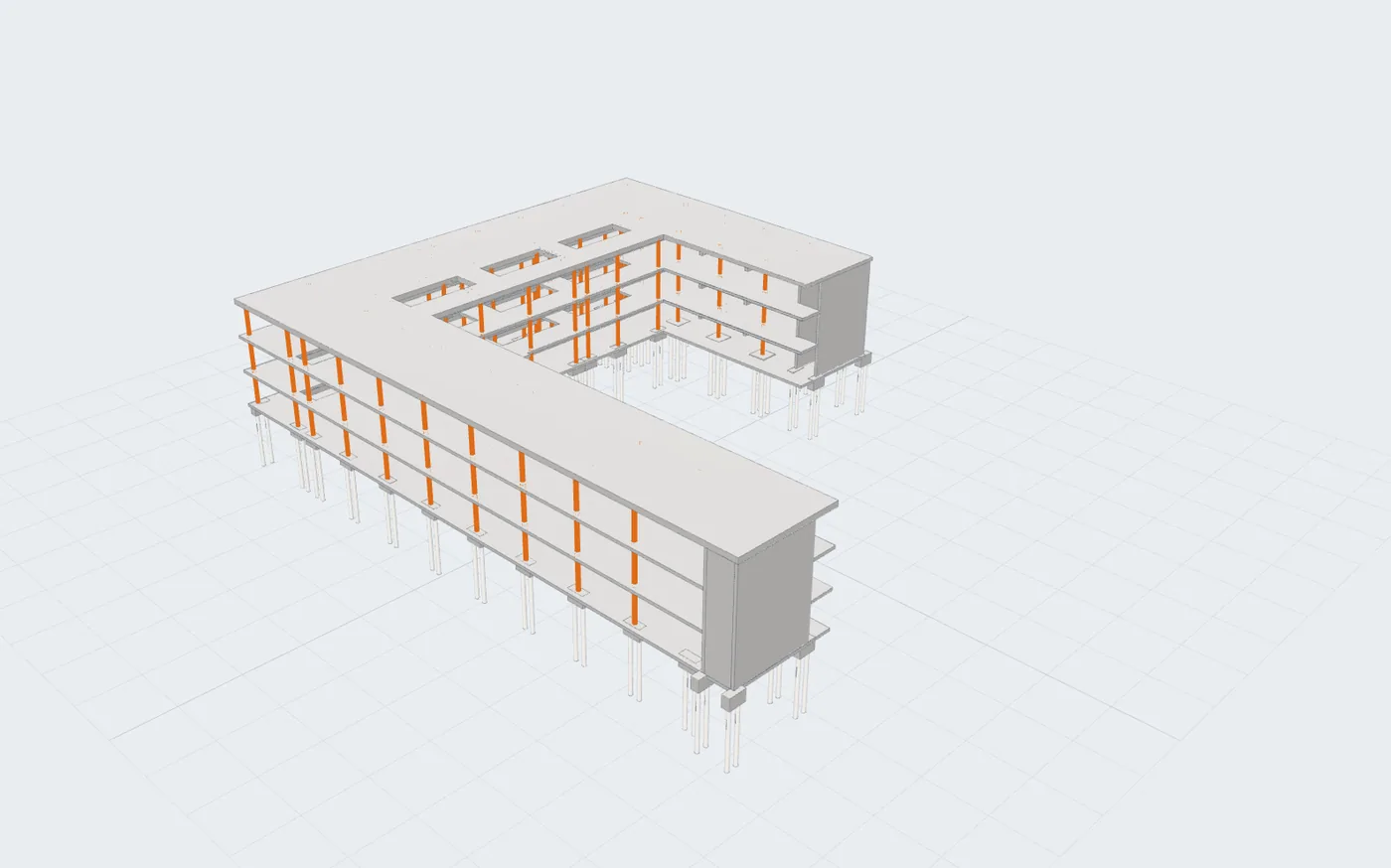
Open an IFC model and BIM Studio shows it in 3D, in plan and in section. Run a rule set and every result lists the required value, the actual value converted to the same units, and the reason it passed or failed. Failing elements light up in the model, and the results export to CSV or JSON.
You can also ask the model a question in plain language, such as which columns are shorter than 3 m. The question becomes a read-only query, and you get the list of elements, ready to highlight or isolate in 3D, not a paragraph of text.
Your model stays with you
Everything runs in the browser. The IFC file is read on your own machine and is never uploaded to a server.